Press kit

JuxtaText 2

The story, the facts, and the artwork, with localised screenshots.

Download the press kit

ZIP · 23 MB · Press release, fact sheet, app icon, English screenshots, and window captures

Localised artwork

Press release

JuxtaText 2 turns a side‑by‑side comparison into a place to work

The Mac app for comparing text now lets you edit either side in place, keep several comparisons open, and export a clean record of what changed. A new optional tier, JuxtaText+, adds saving, merging, and TwinFocus.

JuxtaText shows exactly what changed between two versions of a text. Paste them in, drag in two files, or open them from Finder, and JuxtaText lines the versions up side by side, marking every added, removed, and modified line and the individual words that changed inside them. It is built for those moments when every word choice matters: checking a revised draft, comparing transcripts, or confirming what someone changed before you sign off.

Version 2 lets you act on what you see. Both sides of a comparison are now editable, so a typo can be fixed or a sentence rewritten without leaving the app, and the highlighted differences follow every keystroke. Per-section actions let you replace, insert, swap, or revert a whole change in one click. Each comparison is a Mac document in its own window, and any of them can be exported as a PDF or a set of PNG images, with a live preview, a choice of lines to include, and control over the font, theme, headers, and line numbers.

Comparing, editing, and exporting images are free. JuxtaText+ is a new, optional subscription for work that ends in a finished text. It saves edits back to the original files, exports or copies the edited text, and opens any comparison in a three-pane Merge Tool, where you choose the parts you want from each version and edit the result directly. TwinFocus highlights the match for the word beneath the pointer on the other side, which makes scattered edits in long paragraphs easy to follow. Markdown highlighting rounds out the tier.

JuxtaText+ is easy to try before buying. TwinFocus and Markdown highlighting can be previewed for a limited time in the free version, and eligible new subscribers get a free trial: three days with the monthly plan or a week with the yearly plan.

JuxtaText started life as a free app, a way to draw attention to JuxtaCode, its developer’s app for comparing code. Feedback showed that many people simply wanted to compare text, for reasons that had nothing to do with programming, and JuxtaText 2 is built around them. People who prefer a one-time purchase can choose JuxtaCode instead: it includes every JuxtaText+ feature, along with syntax highlighting for hundreds of programming languages and Git tools.

About the developer

JuxtaText is made by Yori, an independent software developer in Melbourne, Australia, who also makes JuxtaCode, a Mac app for comparing and merging code.

Using the artwork

Please use the name JuxtaText, and JuxtaText+ for the optional paid tier. When a screenshot shows the Merge Tool, TwinFocus, or Markdown highlighting, please identify those features as part of JuxtaText+. Keep the app icon’s proportions and colours intact, and avoid edits that misrepresent the interface. Everything here may be used in coverage of JuxtaText.
App Store screenshots

Five screenshots at 2880 × 1800, shown here in English. Each one downloads as the original PNG.

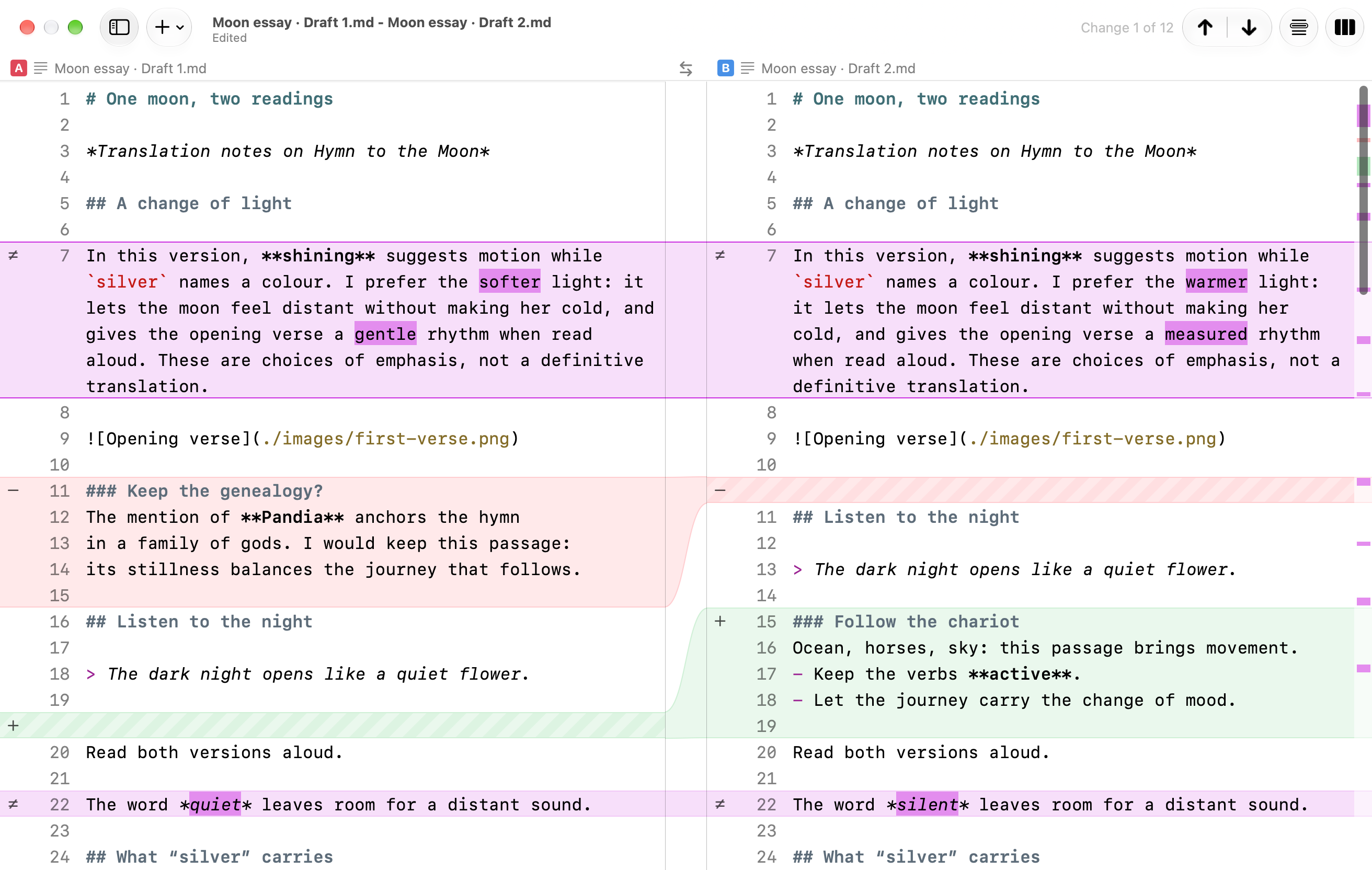
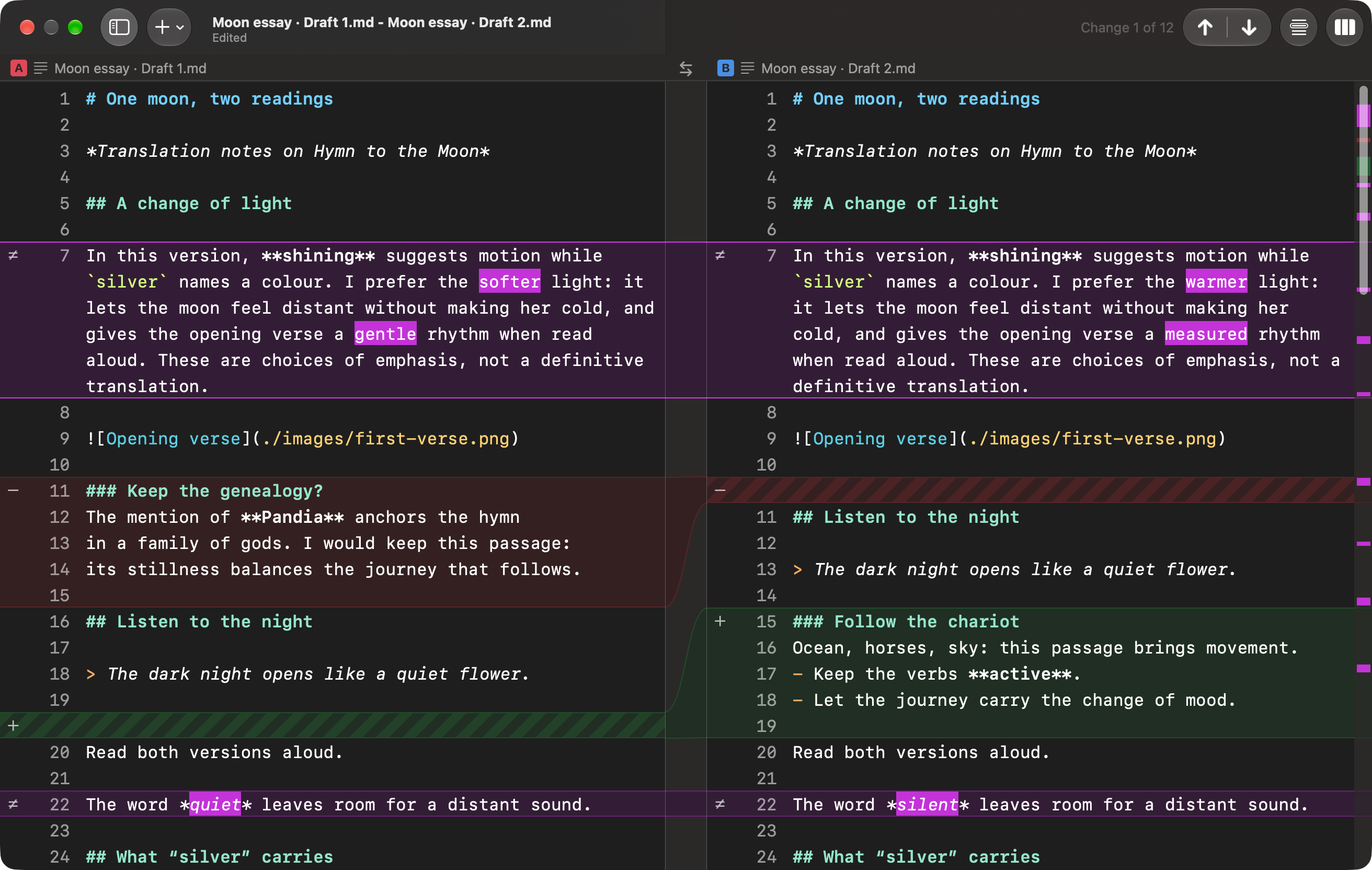
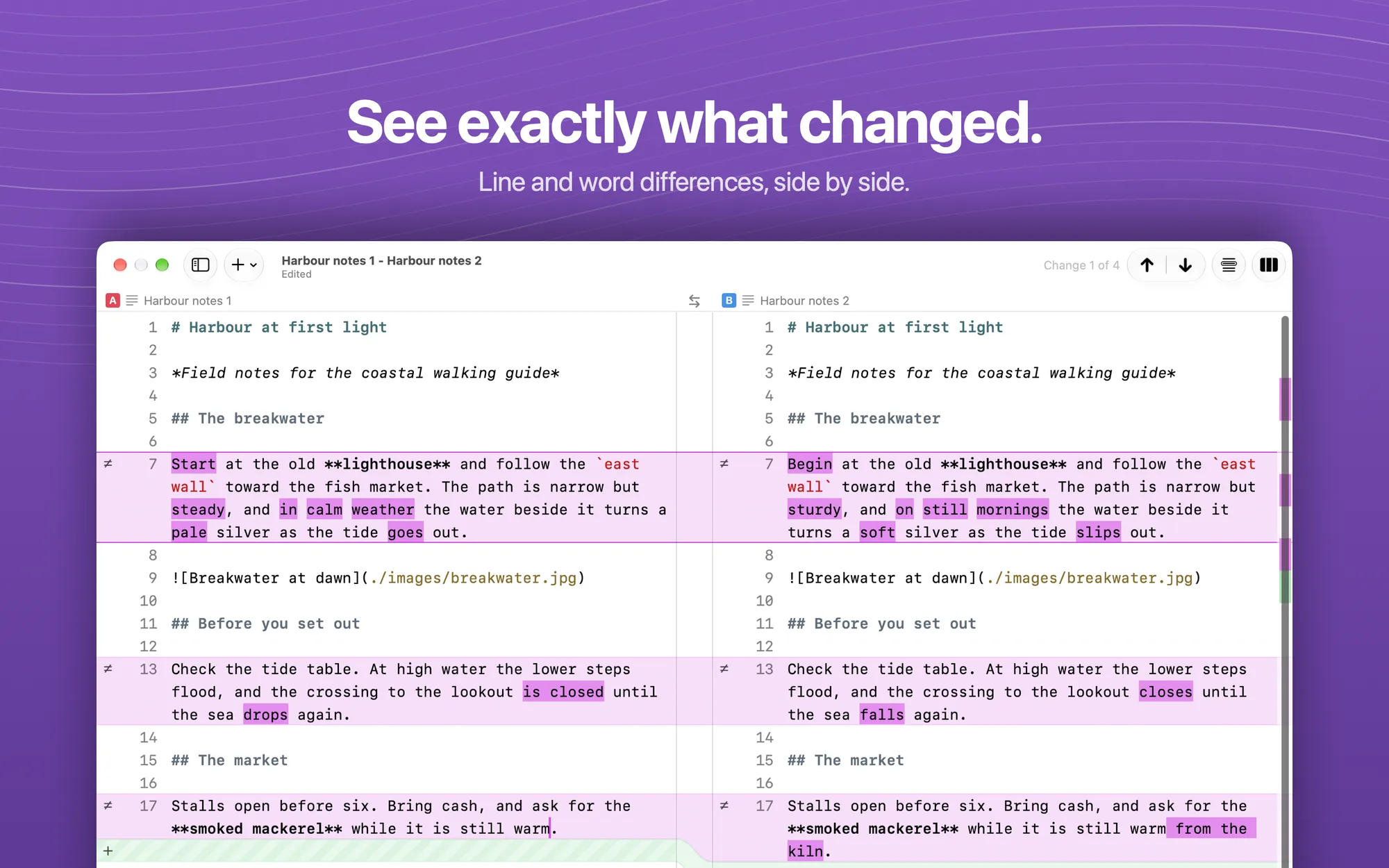
See exactly what changed. Line and word differences between two drafts, side by side.
01

See exactly what changed

Line and word differences between two drafts, side by side.

Download PNG
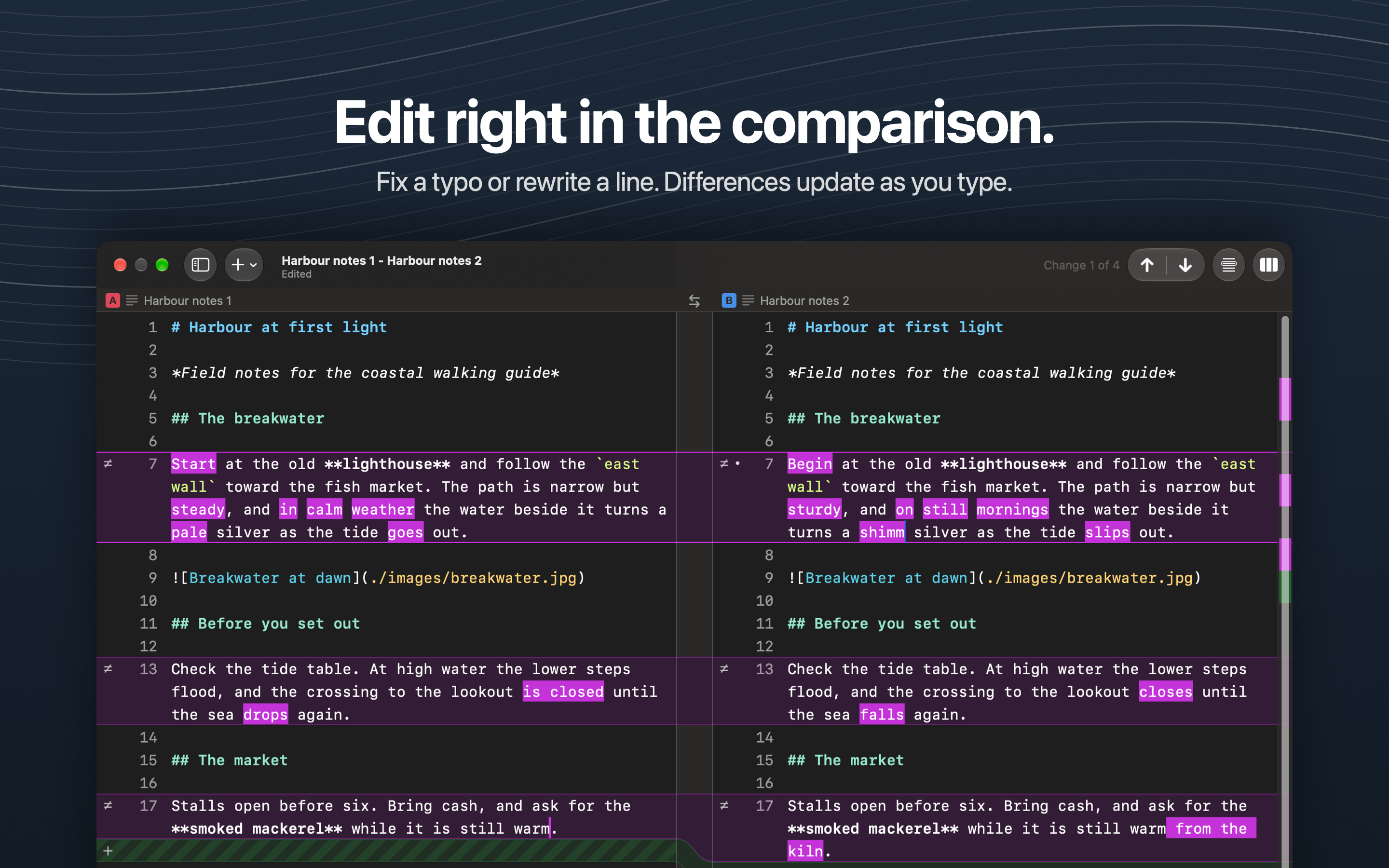
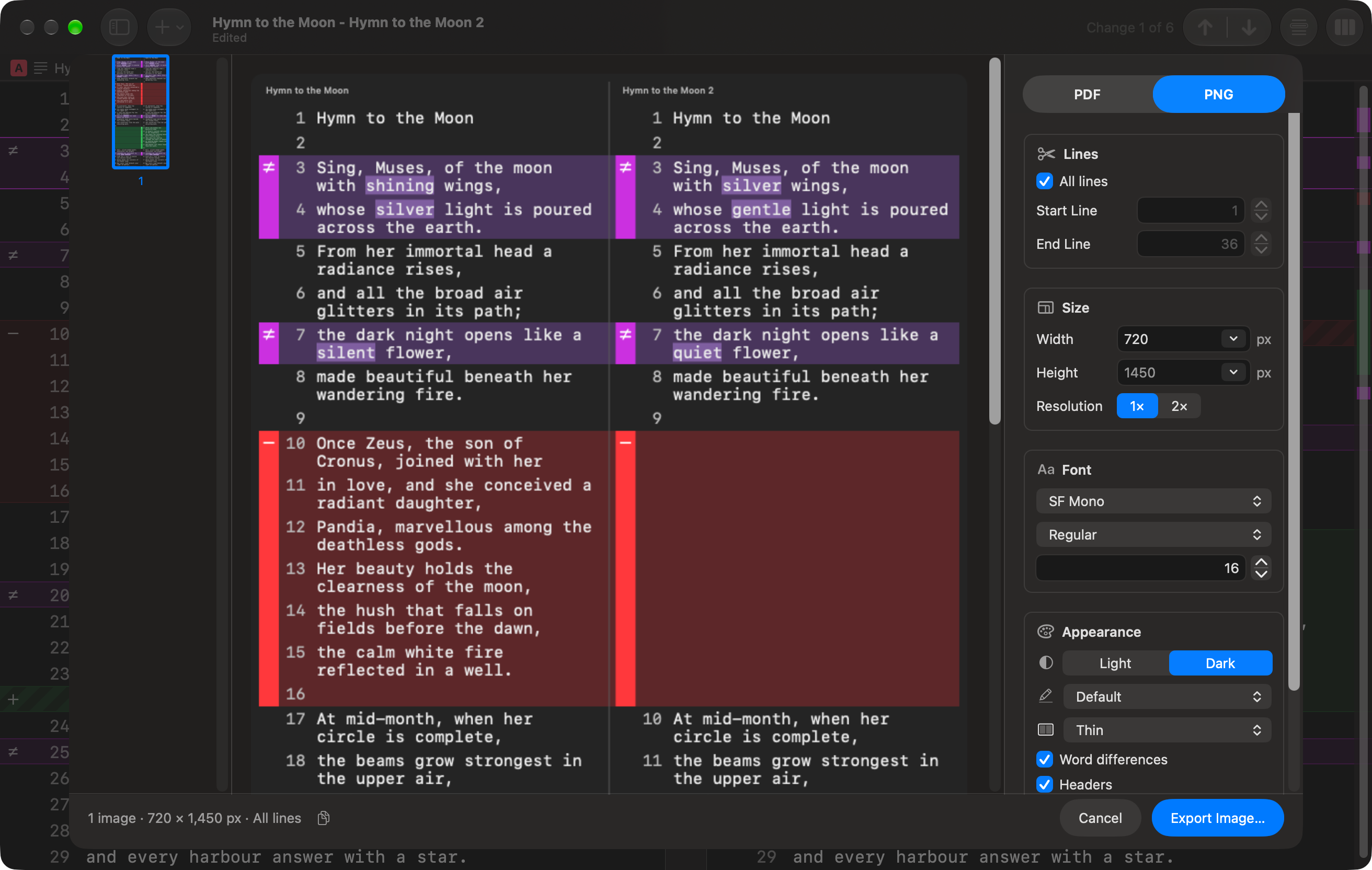
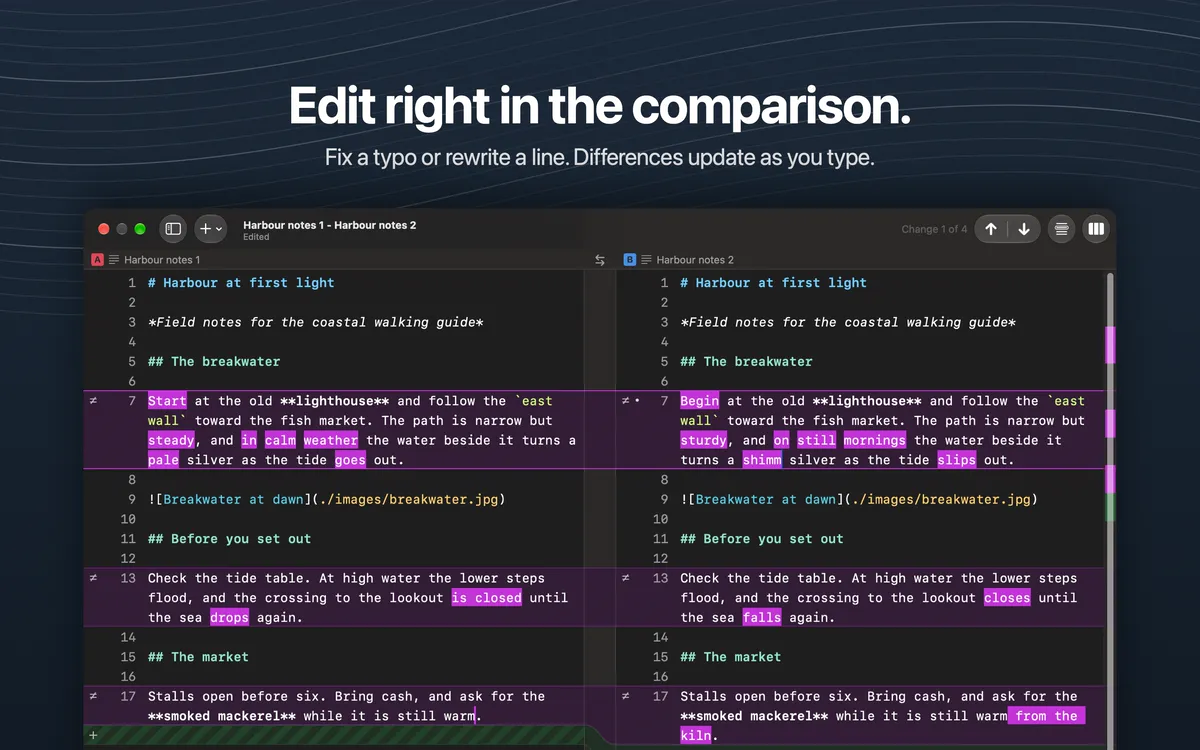
Edit right in the comparison. Both sides are editable, and differences update as you type. Shown in dark appearance.
02

Edit right in the comparison

Both sides are editable, and differences update as you type. Shown in dark appearance.

Download PNG
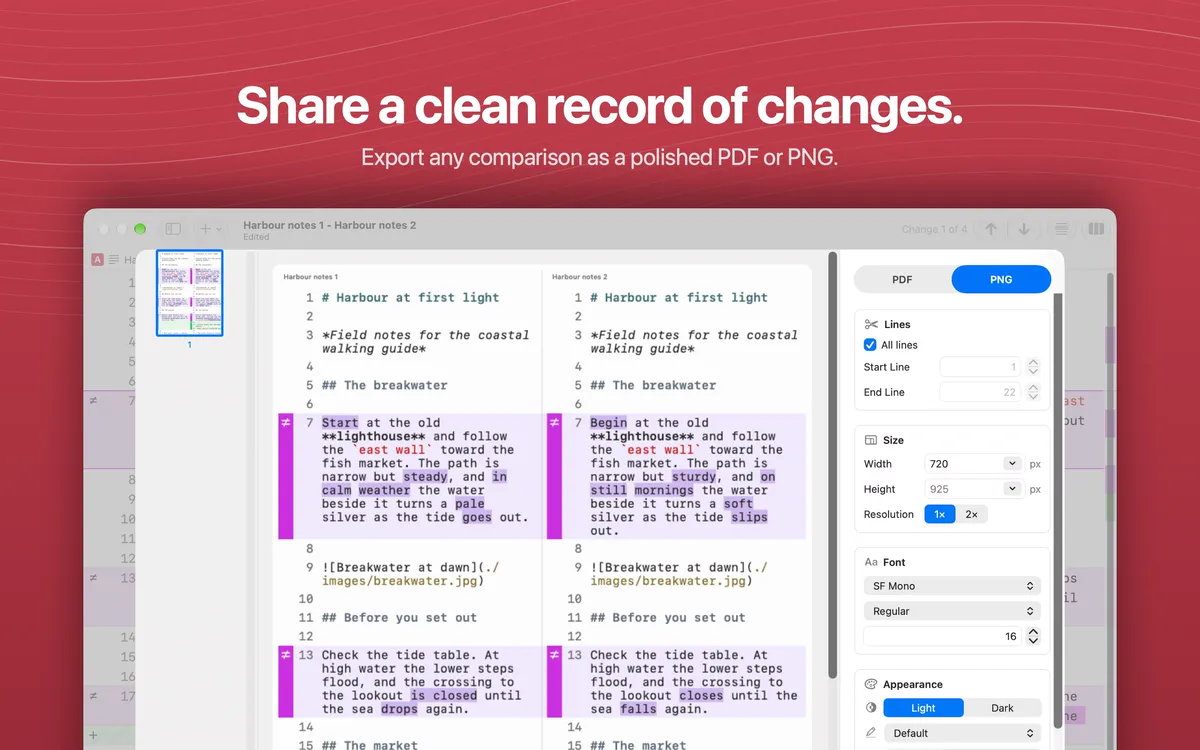
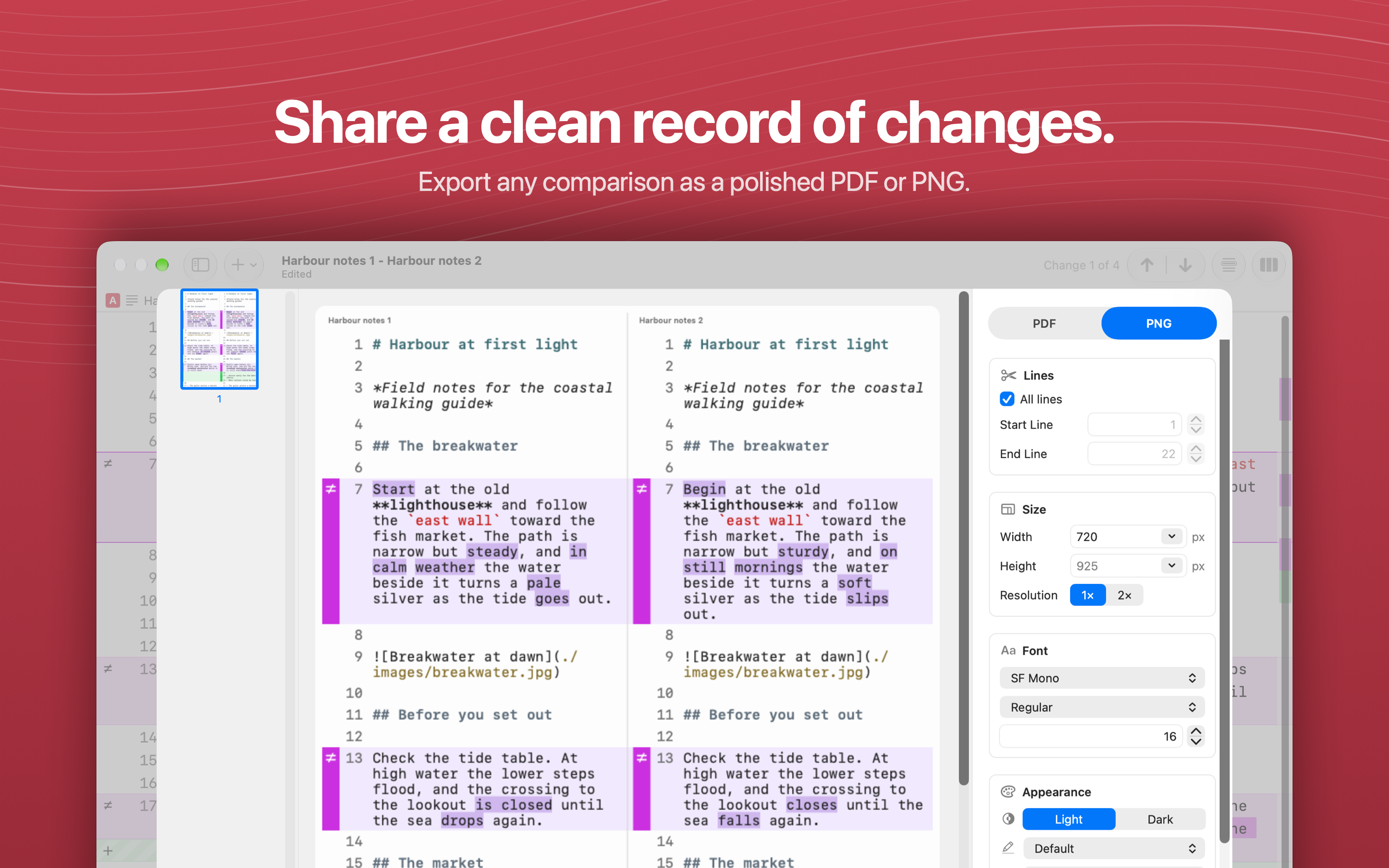
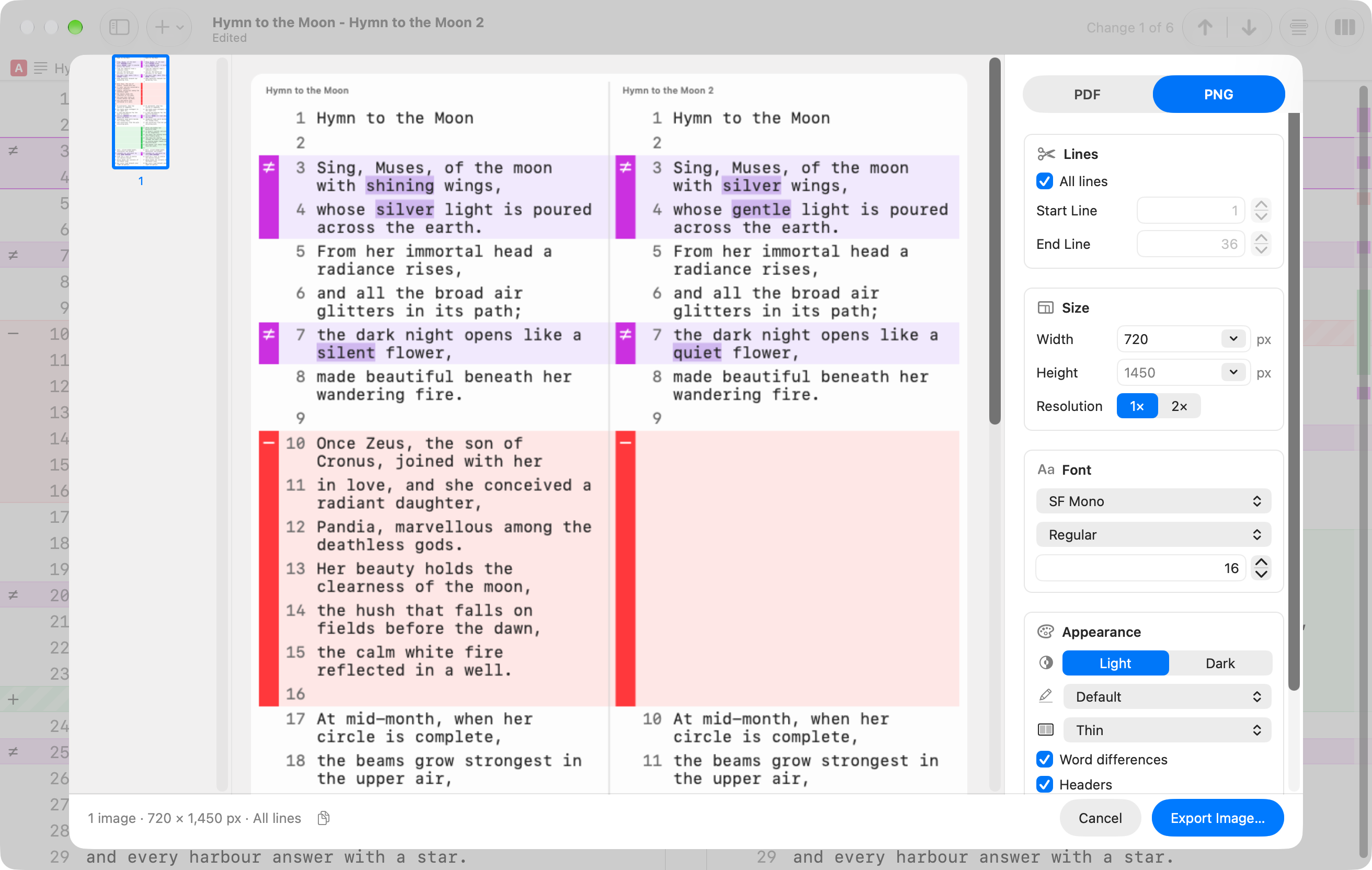
Share a clean record of changes. The export sheet, with a live preview of a PDF or PNG comparison.
03

Share a clean record of changes

The export sheet, with a live preview of a PDF or PNG comparison.

Download PNG
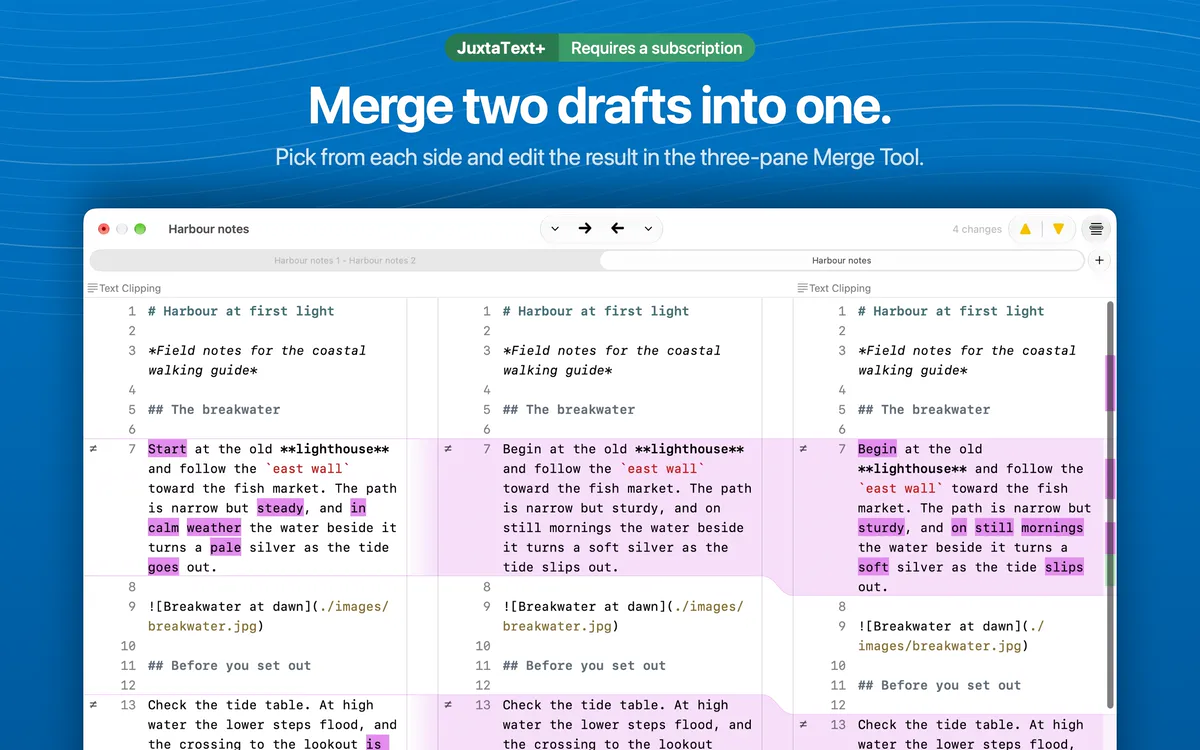
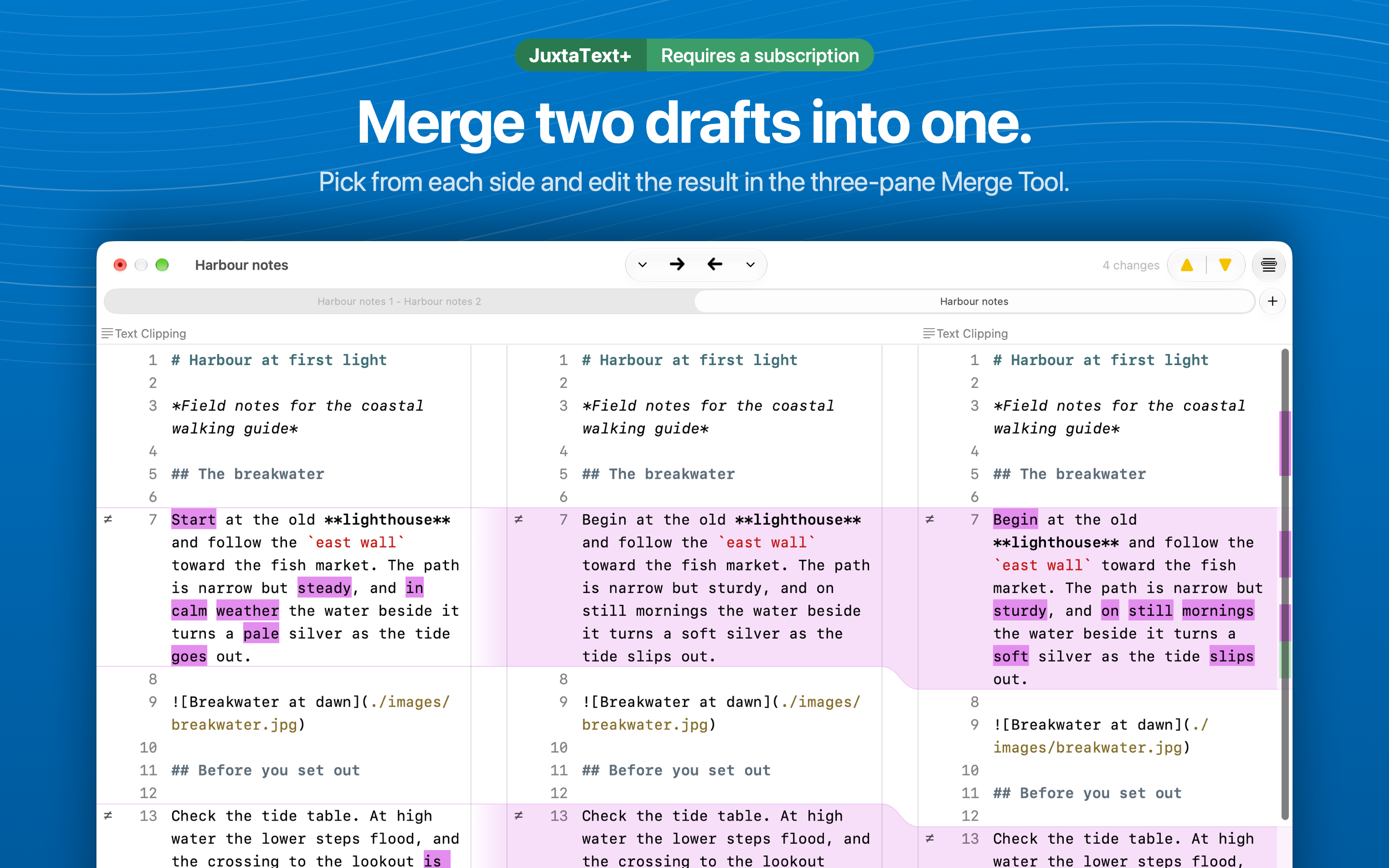
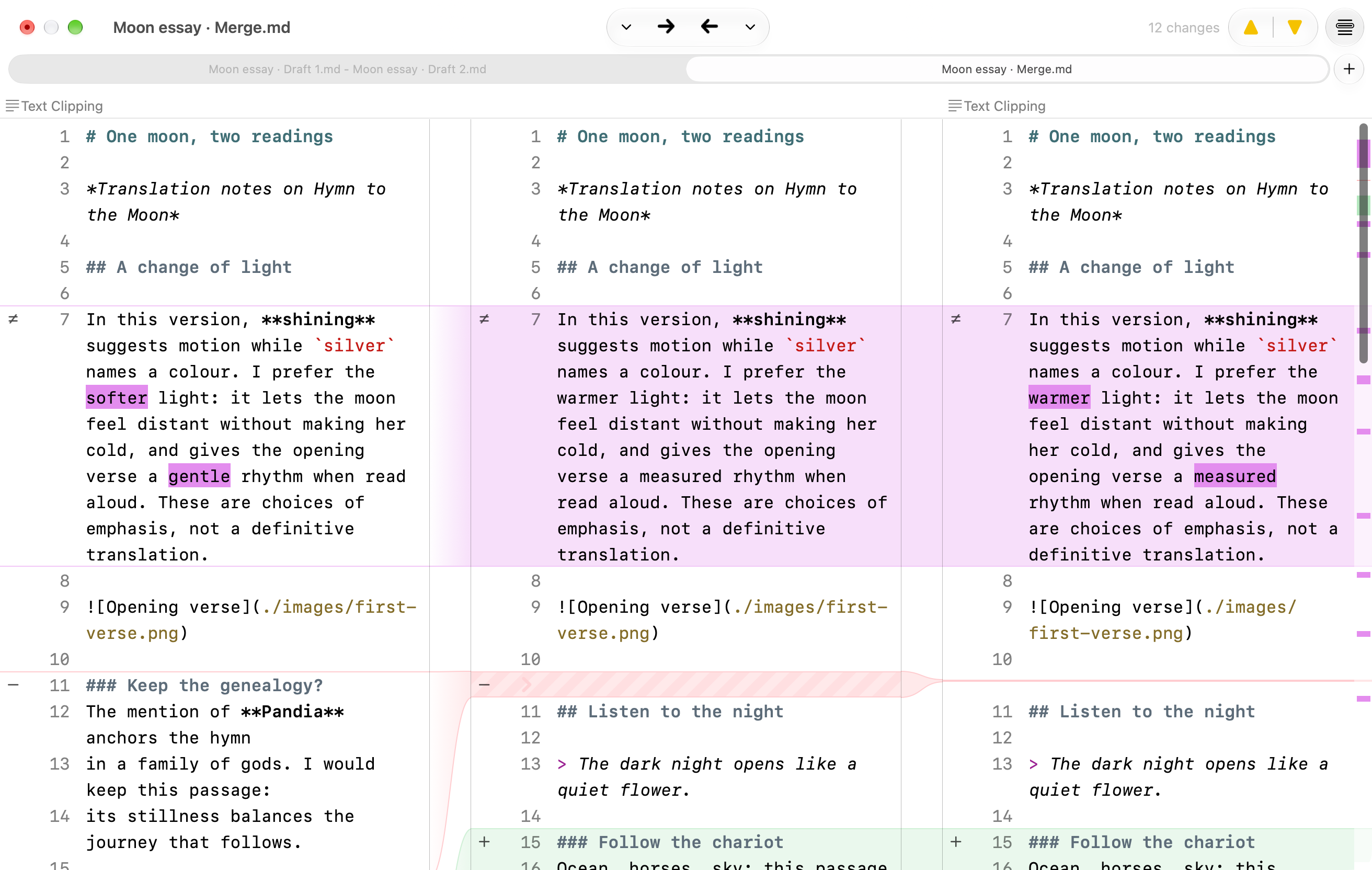
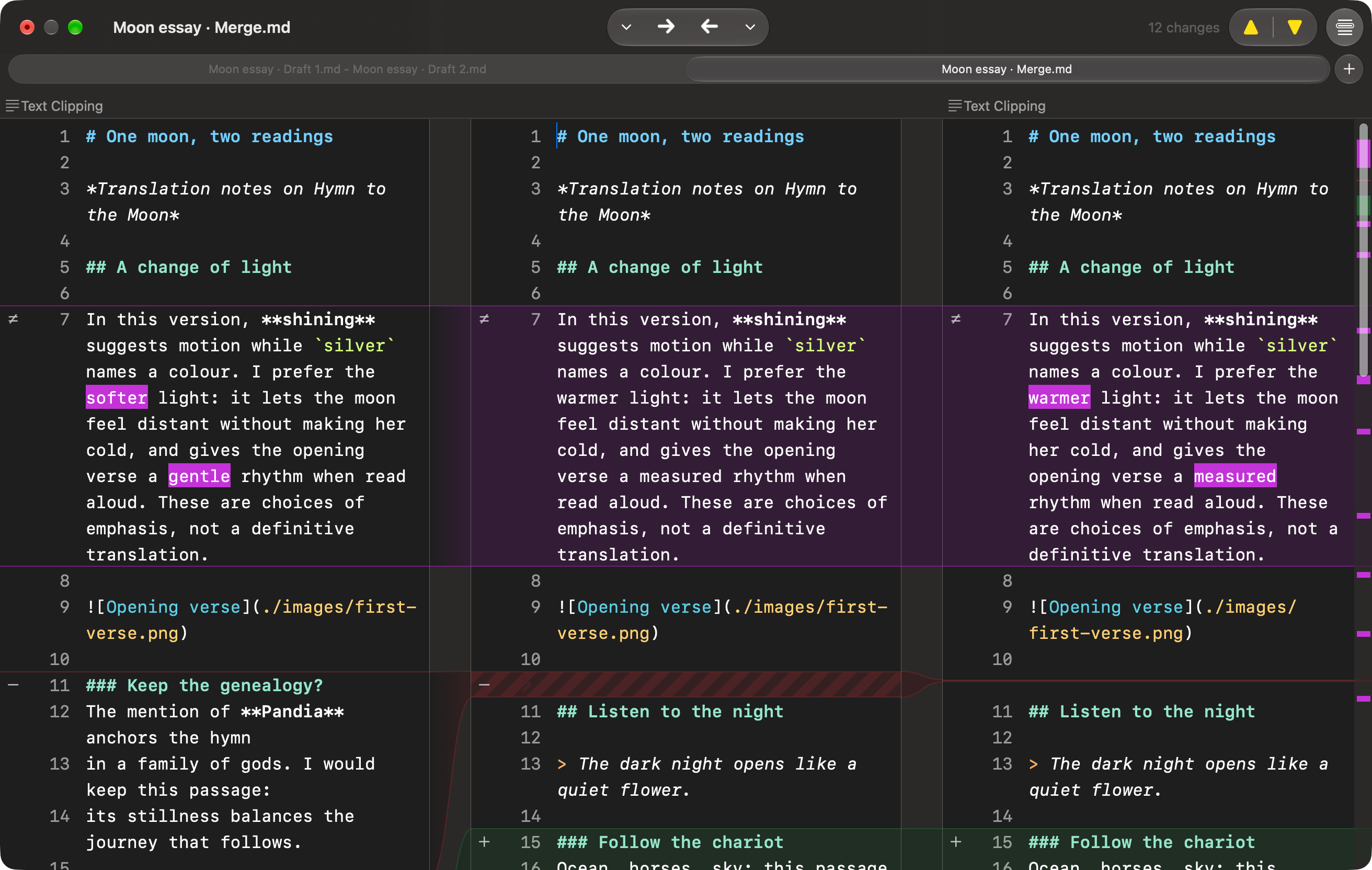
Merge two drafts into one. The three-pane Merge Tool, with an editable result between the two drafts.
04

Merge two drafts into one

JuxtaText+

The three-pane Merge Tool, with an editable result between the two drafts.

Download PNG
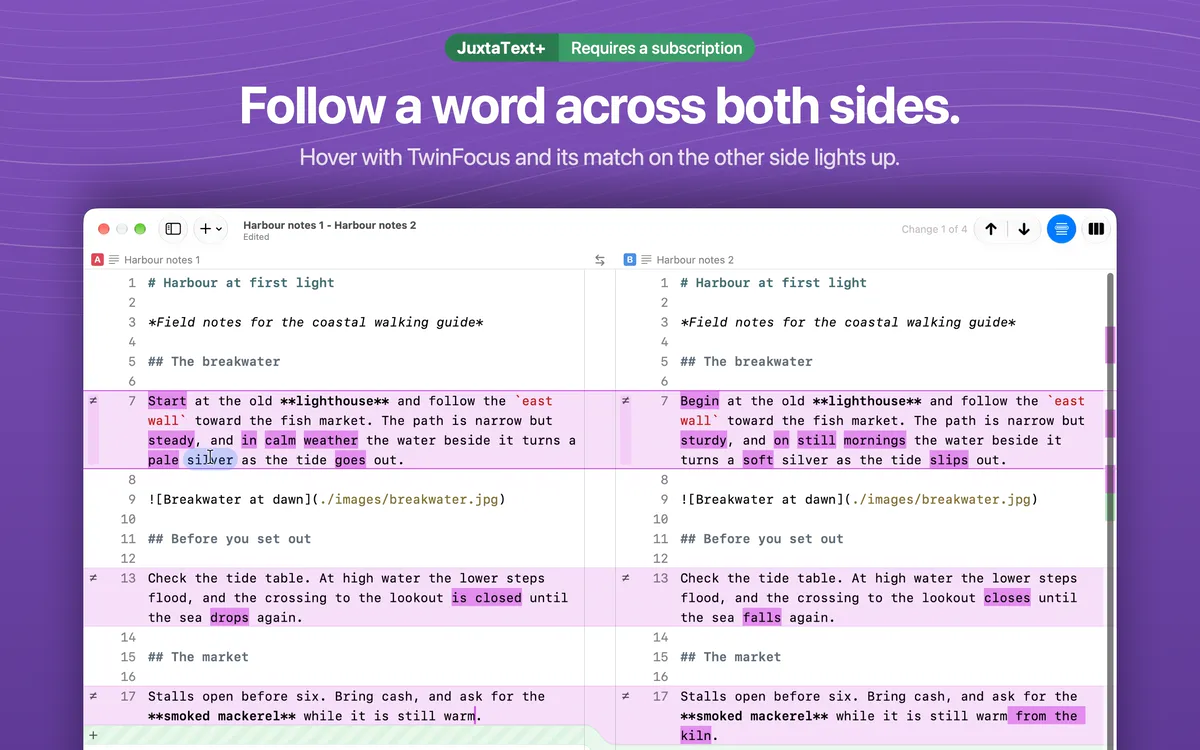
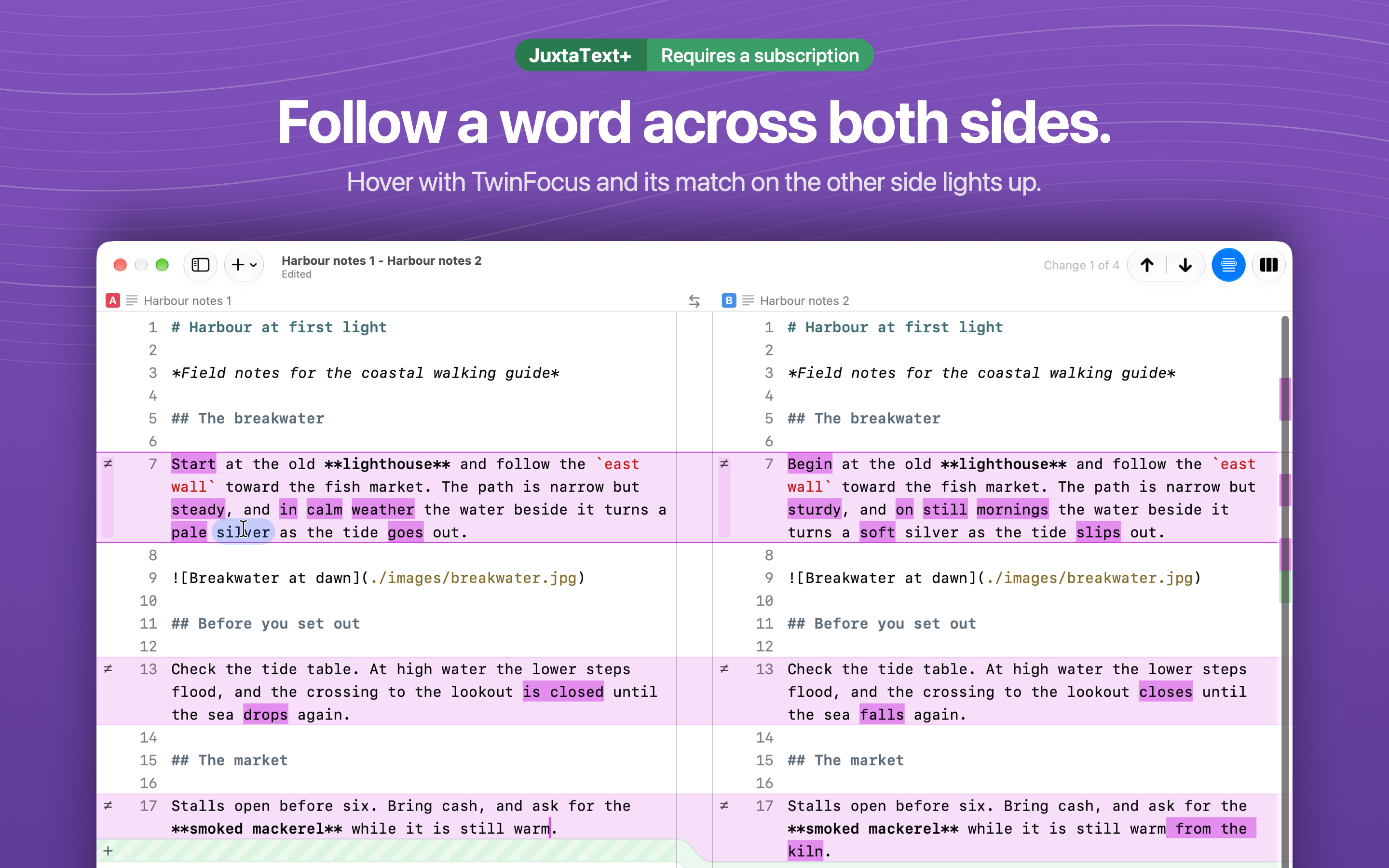
Follow a word across both sides. TwinFocus lighting up the match for the word beneath the pointer.
05

Follow a word across both sides

JuxtaText+

TwinFocus lighting up the match for the word beneath the pointer.

Download PNG

App previews

The Mac App Store preview videos, at 1920 × 1080 with sound. The original QuickTime files for every language are listed below.

Compare and merge 0:23

Two drafts dragged in and compared, stepped through change by change, then combined in the JuxtaText+ Merge Tool.

TwinFocus and editing 0:20

TwinFocus following words across both sides, then the differences updating as a draft is edited.

Localised artwork

JuxtaText itself is localised in all of these languages, and so are its App Store screenshots and previews. Each screenshot ZIP holds the five App Store screenshots and the untreated window captures they were made from, at original resolution.

LanguageScreenshotsApp previews
English5 screenshots + windowsZIP · 12 MB
FrançaisFrench5 screenshots + windowsZIP · 12 MB
DeutschGerman5 screenshots + windowsZIP · 12 MB
EspañolSpanish5 screenshots + windowsZIP · 12 MB
日本語Japanese5 screenshots + windowsZIP · 12 MB
한국어Korean5 screenshots + windowsZIP · 11 MB
简体中文Simplified Chinese5 screenshots + windowsZIP · 11 MB
繁體中文Traditional Chinese5 screenshots + windowsZIP · 12 MB

Icon and window screenshots

Full-resolution captures of the app window without a background, in light and dark appearance.

The JuxtaText app icon.

App icon

The JuxtaText app icon, as a transparent 1024 × 1024 PNG.

Download PNG
Two Markdown drafts compared, with line and word differences. Markdown highlighting is part of JuxtaText+.

Comparison

Two Markdown drafts compared, with line and word differences. Markdown highlighting is part of JuxtaText+.

PNG · 2624 × 1664

The PNG export sheet with its live preview. Exporting comparisons is free.

Export

The PNG export sheet with its live preview. Exporting comparisons is free.

PNG · 2624 × 1664

The JuxtaText+ Merge Tool, with two drafts beside an editable result.

Merge Tool

The JuxtaText+ Merge Tool, with two drafts beside an editable result.

PNG · 2624 × 1664

Press enquiries

For interviews, questions, or anything else you need, write to

support@juxtatext.app